
Almost every piece of advice about making money online starts in the same place. Pick a platform, show up every day, and post.
I get why. Social media is free, and it’s right there on your phone.
But look at what a post does once it’s out. On most platforms, a post tends to get most of the views it’ll ever get in its first day or two. Then it sinks under everything that came after it.
So you post 30 times this month, and next month you start near zero again. That treadmill is where a lot of people in their 40s and 50s give up. They don’t want to film themselves or think up something clever every morning, and they suspect there has to be another way.
There is. Every day, people type buying questions into Google. “Best hiking boots for beginners.” “Is a bread machine worth it.” “Kindle vs Kobo.”
They aren’t scrolling past you. They’re looking for an answer.
A page that answers one of those questions can keep getting found for months, long after anything you posted this week has disappeared. And if that page gives the right readers a reason to join your email list, you’ve got buyers arriving without posting a thing.
So let me show you how the pieces fit together.
By the end of this post you’ll have:
- One buyer question, with proof that real people ask it
- A plan for the page that answers it, with your affiliate pick on it
- A small freebie that turns readers into subscribers
- The one follow-up email that recommends a product
- A way to test-drive readers while Google catches up
The Search-to-Inbox Loop
The loop has three pieces, and you don’t post anywhere in it:
- A page that answers a question buyers already search for
- A small reason to sign up on that page
- One follow-up email that recommends one product
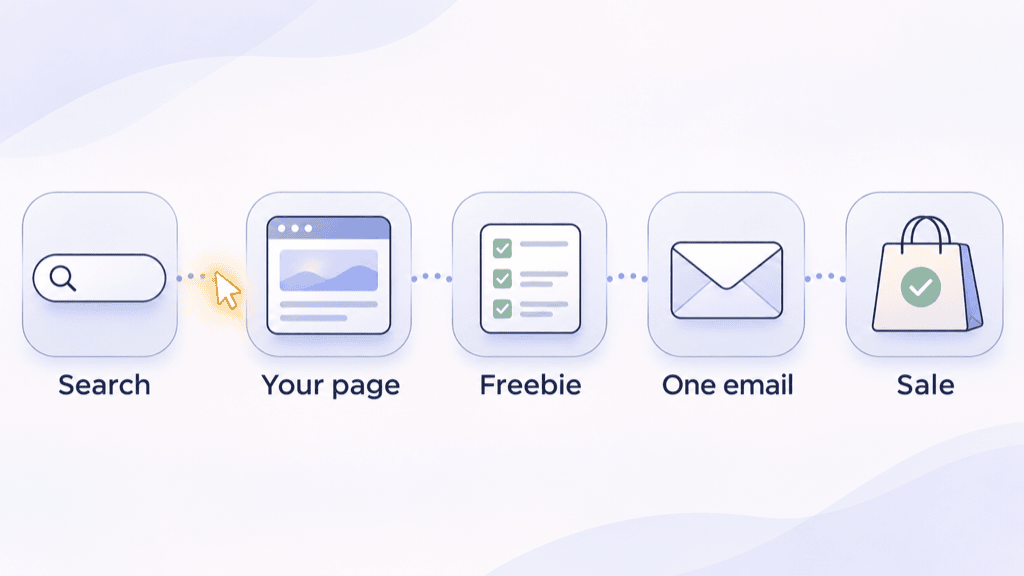
Someone searches, finds your page, gets the answer, and either clicks your recommendation or grabs your freebie. The people who grab the freebie get one email later that points them to the product.
Think of this as your first asset, not the whole business. The plan is to build a small set of these pages over a few months, keep the ones that earn, and improve them.
How long it takes. You can build your first loop in a weekend, but search traffic takes longer. A new page often takes weeks to months to start showing up, and brand-new sites tend to sit at the slow end of that. The work is slow to start, but it doesn’t reset every month.
(If you run a store instead of promoting affiliate offers, the same loop works. Your page just recommends your own product.)
Piece 1: Write One Page That Answers a Question Buyers Already Ask
Most people pick a topic they find interesting. Pick a question someone types right before they spend money instead.
Buyer questions tend to look like this:
- “Best [product] for [type of person]” (best sewing machine for beginners)
- “[Product A] vs [Product B]”
- “Is [product] worth it”
- “[Product] alternatives”
Curiosity questions (“history of the espresso machine”) can bring plenty of visits and very few sales. Skip them for now.
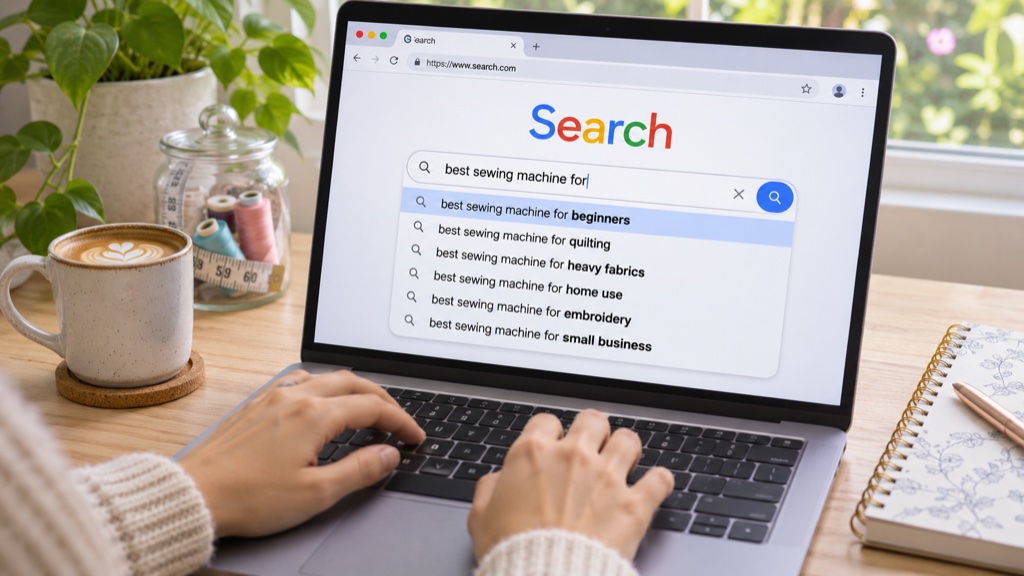
Brainstorm, then check. ChatGPT is handy for a list of possible questions in your niche, but it can’t tell you whether anyone searches for them. So check each one against real evidence:
- Google autocomplete: start typing the question and see whether Google finishes it for you
- “People also ask”: the box of related questions in the search results
- Forum threads: Reddit or niche forums where people ask the same thing in their own words
If a question shows up in two of those three places, it’s a good candidate. These checks tell you people ask it, not how many do, and they don’t guarantee you’ll rank. That’s enough to pick a first page, and once it’s live, Search Console will show you the real numbers.
What goes on the page:
- The answer first. Put your direct answer in the opening paragraph so nobody has to scroll for it.
- Pros and cons, including the downsides. Readers trust a page that admits what a product doesn’t do well.
- Your pick, with the affiliate link. Say which one you’d buy and why.
- A short disclosure that you may earn a commission. In the US the FTC requires it, and it’s good practice anywhere.
It can live on a site you already own or on a basic WordPress site. Before you write, look at the top three results for your question. If they’re vague, or they never pick a winner, that’s your opening.
Piece 2: Give Readers One Small Reason to Sign Up
Most visitors will read your answer and leave, and some will click your link. The freebie is how you keep in touch with the ones who aren’t ready to buy yet.
Keep it small and tied to the exact question on the page:
- A one-page checklist (“7 things to check before you buy a sewing machine”)
- A comparison chart of the three models you looked at
- A “questions to ask before you buy” list for bigger purchases
Put the sign-up box right after your answer, when the reader has just gotten something useful from you, rather than in a popup the second they land. A one-page checklist they’ll use tonight tends to get more sign-ups than a 40-page guide they’ll never open.
Piece 3: Send One Follow-Up That Recommends One Product
You don’t need a long sequence to start. You need two emails.
The first delivers the freebie. The second goes out a couple of days later and recommends the one product you’d buy yourself.
That second email only needs four things:
- A reminder of the question they were trying to answer
- Your pick, named plainly
- Two or three reasons it’s your pick, including one downside
- One link
Keep it above board. Say in the email that you may earn a commission, the same as on the page. If you’re emailing people in the US, your email tool will also need your postal address and an unsubscribe link in every email (most tools add these automatically).
If you want to grow it into a fuller sequence later, I walked through three emails that turn a small list into sales in an earlier post.
Three Quick Scenarios
These are illustrative examples, not student results.
Scenario one: beginner hiking gear. Someone who loves hiking picks “[Brand A] vs [Brand B] boots for beginners”, a question that shows up in autocomplete and on a hiking forum. Her page names a winner in the first paragraph, which most of the pages ranking for it never do.
Scenario two: home espresso. A coffee fan writes a page answering “best espresso machine under $500”. His freebie is a one-page “pull your first good shot” checklist, which is exactly what someone about to buy a machine wants next, so it earns sign-ups.
Scenario three: sewing machines. A retired teacher writes one page on the best sewing machines for beginners. Two days after someone downloads her checklist, she emails them her one pick, along with the one thing she’d change about it. Naming that downside makes the recommendation easier to believe.
What One Page Could Earn (Example Numbers)
These numbers are made up to show how the chain works. Yours will be different, higher or lower.
Say your page gets about 20 visits a day, so roughly 600 a month, and your pick pays about $30 per sale.
- From the page: if 10% of visitors click your link, that’s 60 clicks. If 3% of those buy, that’s about 2 sales.
- From the email: if 3% of visitors sign up, that’s 18 new subscribers. If a third of them click your follow-up and a few of those clicks turn into a sale, that’s maybe one extra sale every couple of months.
So one working page might bring in something like $60 a month. That’s not life-changing, and I won’t pretend it is.
But the page keeps working next month without you posting anything, and those subscribers stay on your list for your next recommendation.
Not every page will work, and some will never rank, which is why the plan is around ten pages over a few months. If half of ten pages performed like the example, you’d be at roughly $300 a month, and you’d know which ones to improve.
Want Readers Before Google Catches Up? Test Someone Else’s Inbox
Waiting weeks for search traffic is the hardest part. If you want readers sooner, you can pay to get in front of someone else’s subscribers.
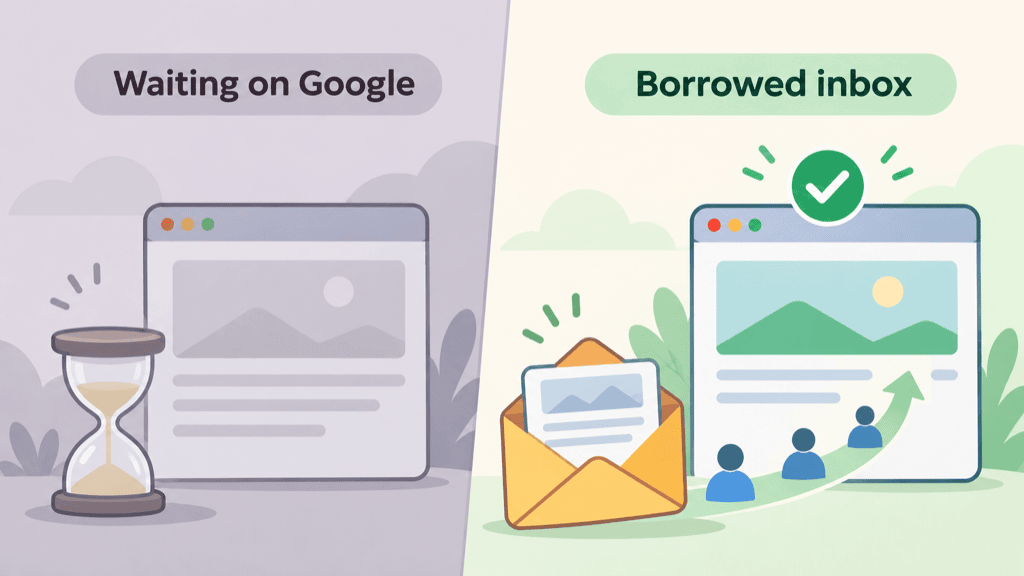
Plenty of small niche newsletters sell a sponsor spot. Prices vary a lot, so ask.
- Find them: search Google or Substack for “[your niche] newsletter”
- Ask before you pay: how many subscribers they have, roughly how many open, and what past sponsors got
- Send readers to your freebie, not straight to an affiliate link, so you keep the ones who sign up
- Set your ceiling first: decide the most you’ll pay per new subscriber. Until you know what a subscriber is worth to you, keep it deliberately low (I’d start around $1 as a cautious test number)
- Run one small test, then divide the cost by the sign-ups. Only rebook if you came in under your ceiling.
For example, a $50 spot that brings 60 sign-ups costs about 83 cents each, so you’d test again. If it brings 20, that’s $2.50 each, and you move on.
Only spend what you’re fine losing on a test. Some placements won’t work, and finding that out cheaply is the point of testing.
Your 10-Minute Quick Win: Find Your First Page’s Question
Open a note on your phone and fill this in:
- My buyer is: ___
- The question they type before they buy: ___
- Proof people ask it (autocomplete, People also ask, a forum thread): ___
- The product I’d buy myself: ___
- My small freebie: ___
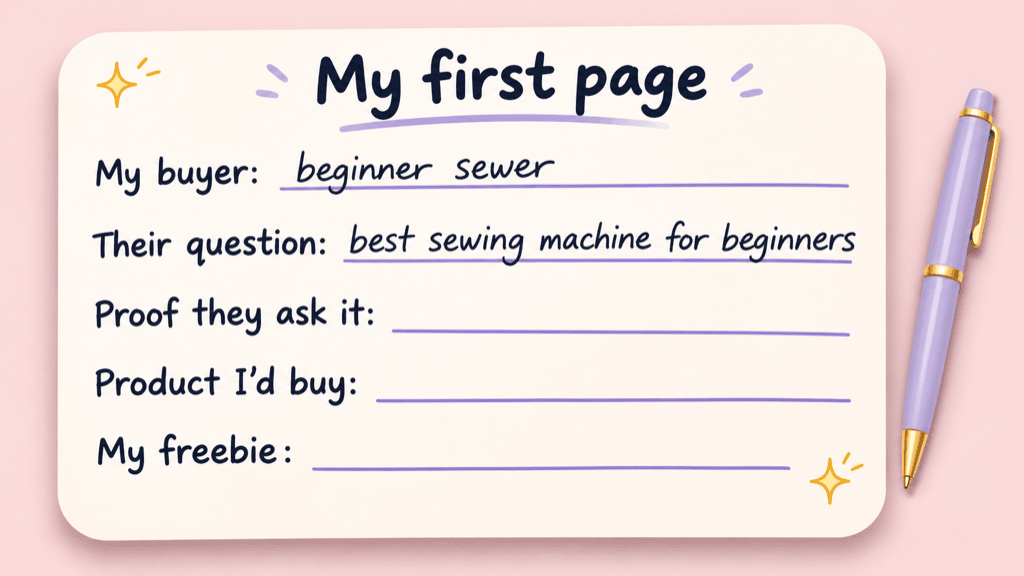
If you can’t fill in the proof line, try a different question. That one line saves you from building a page nobody asks about.
“But What If…”
“What if I don’t have a website?”
You’ll need one for this, because the whole idea is a page you own. A basic WordPress site with a simple theme is enough, and one good page is a fine start.
“How long until I see traffic?”
Usually weeks to months, and longer for a brand-new site. Set up Google Search Console, which is free. It shows impressions, meaning the times your page appeared in search results, and those often show up well before the clicks do. That’s your early sign the page is getting noticed.
“What if I’m not a writer?”
You don’t need to be. Let AI draft the page, then add what only you know: what you’d buy, what annoyed you, and what you’d tell a friend. Most of the thin pages ranking today are missing exactly that.
Most social posts ask you to come back and do it all again tomorrow. A page that answers a real question can keep getting found while you’re doing something else.
So start small. Find one question people are already asking this weekend, and build the page that answers it.

